Custom Validations for Purchase Items
This guide is to assist you with common custom validations to help manage your item master. Go to the Steps section for how to create a custom validation. Go to the Design Notes, Sample Validations section for each validation with a description and image.
Custom Validations are specific condition rules that you define to improve data quality and minimize errors for your item master. Custom validations can:
- Warn users of missing data.
- Prevent submission of items without certain fields defined.
- Alert approvers of certain types of item updates.
Other Considerations
- Custom validations don’t work on Mass Maintain tasks.
- Create custom validation messages to display more detailed information about the validation. If you don't create a custom message, Workday displays the description of the custom validation instead. For more information on setup, see the Workday Administrator Guide.
Sample Validations
Listed below are some common sample validations. Note:
- You might need to modify them for your needs.
- Validation rules are written in the form of error conditions.
- Test thoroughly to ensure they behave as expected.
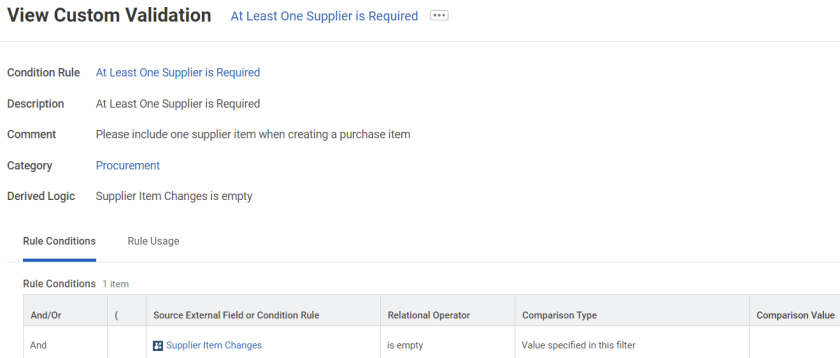
At Least 1 Supplier is Required
For any purchase item, your company has the requirement to have at least 1 supplier item configured.
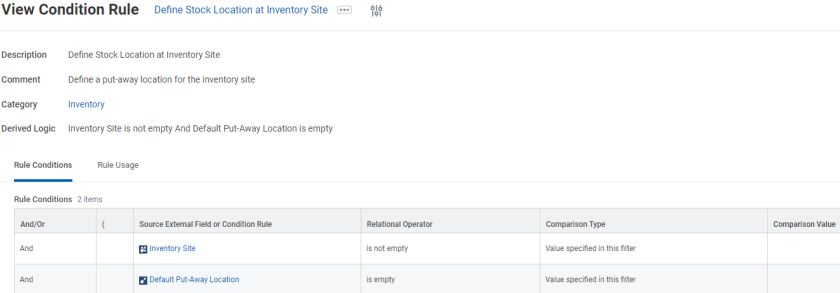
Define Stocking Location at Inventory Site
When you set up a new Inventory Site for an item, a put-away location is required.
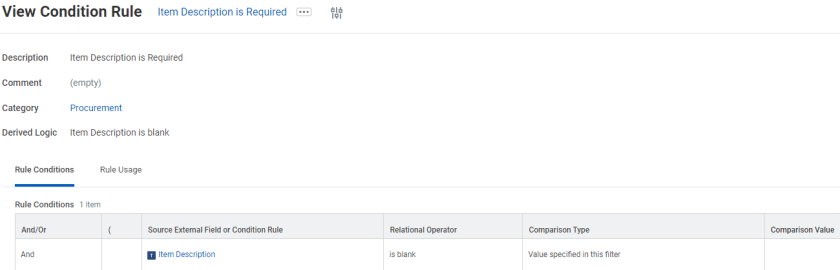
Item Description is Required
For each purchase item, there should be an item description.
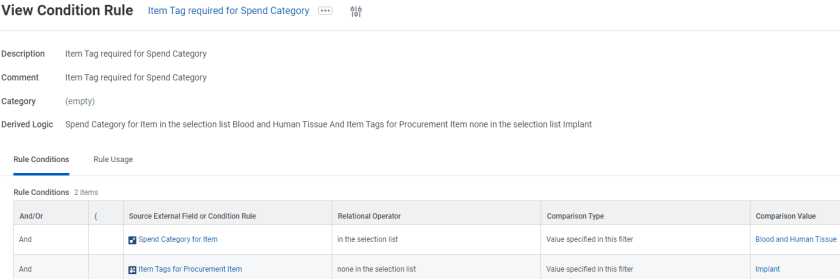
Item Tag is Required for a Specific Spend Category
When a specific spend category is selected, there’s a related item tag that must also be configured on the purchase item.
Limit Changes Users Can Make on a Purchase Item
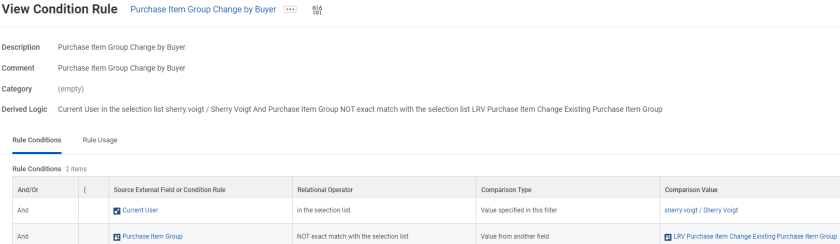
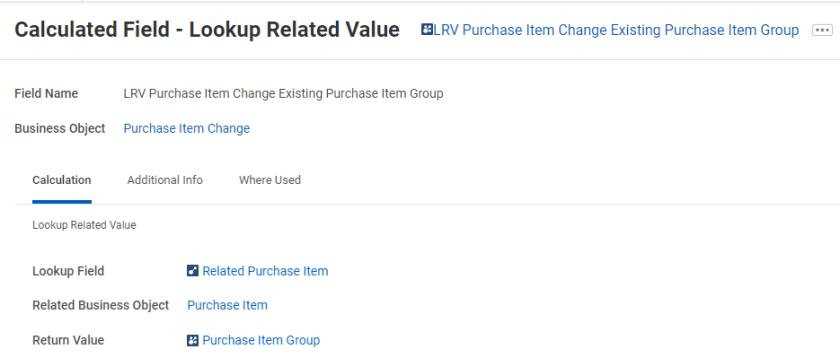
Restricts the type of updates a user or users can make. The screenshots below demonstrates a use case where you don’t want to allow the user Sherry Voigt to make updates to the Purchase Item Group. This requires 1 calculated field.
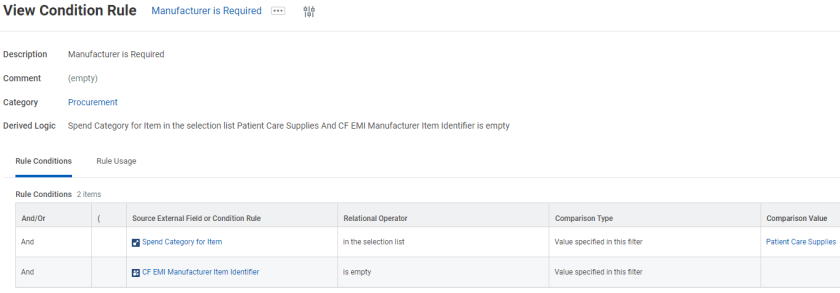
Manufacturer is Required for Items with a Specific Spend Category
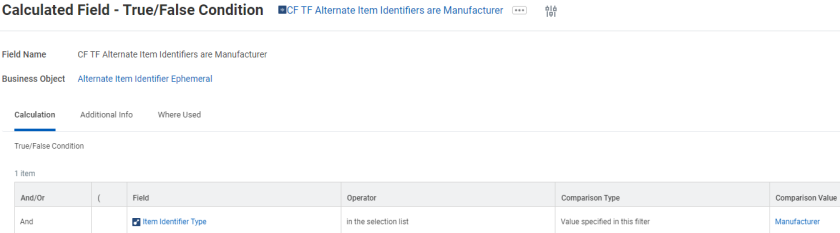
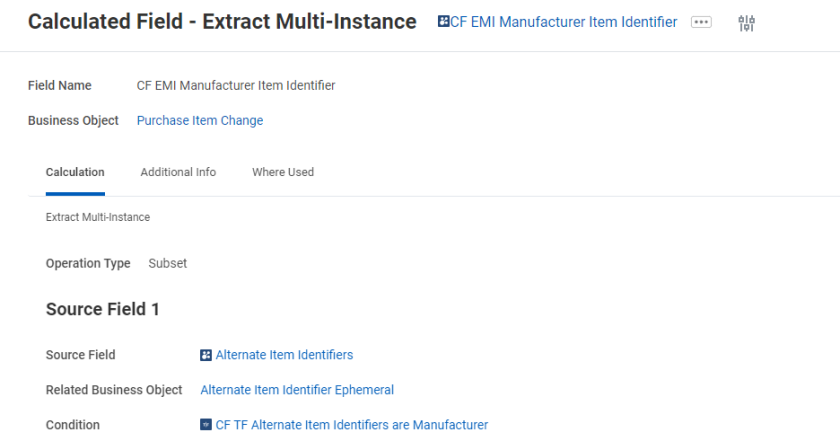
When a specific spend category is used on an item, the manufacturer is required as an alternate item identifier. This requires 2 calculated fields.
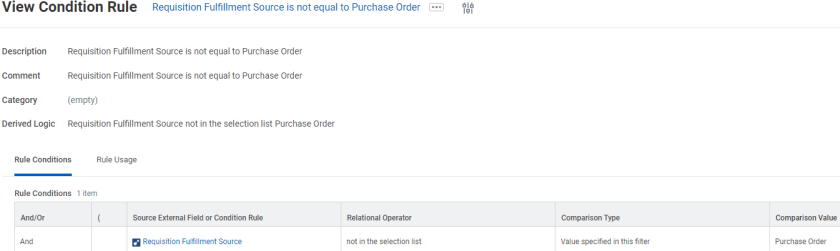
Requisition Fulfillment Source is Purchase Order
The requisition fulfillment source is always configured to Purchase Order.
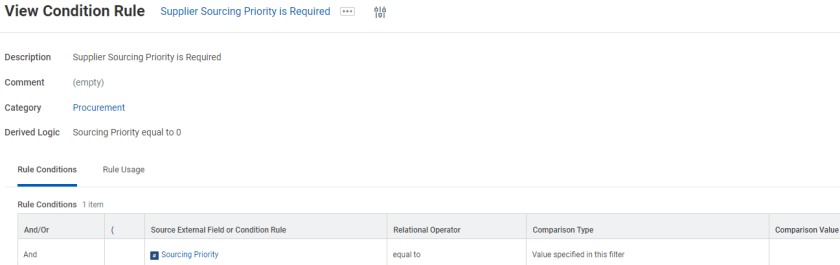
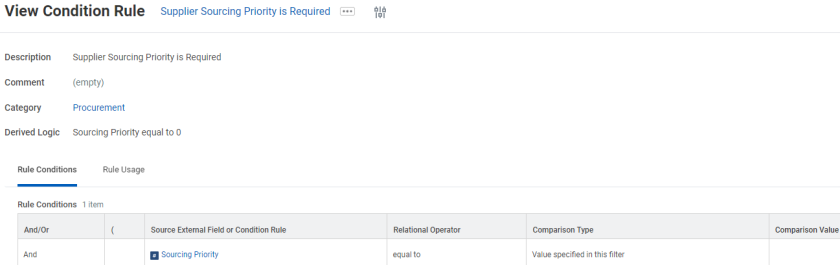
Supplier Sourcing Priority is Required
If you aren’t using supplier sourcing rules and would like every supplier to have a priority assigned.
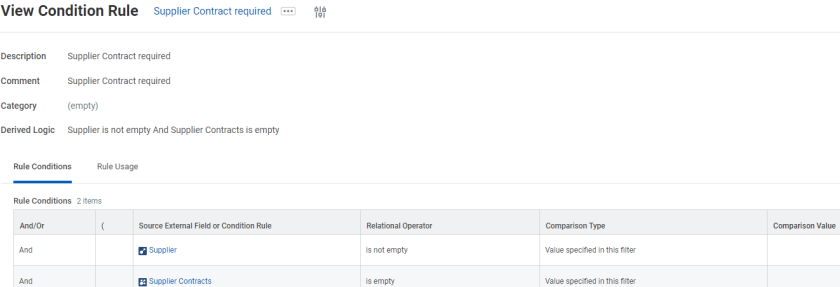
Supplier Contract Required on Supplier Item
If you require a supplier contract on each supplier item.
Supplier Item UOM Conversion Factor Doesn't Match Purchase Item Conversion Factor
The conversion factor matches between the purchase item and all supplier items.
Supplier Sourcing Priority is Required
If you aren’t using supplier sourcing rules and would like every supplier to have a priority assigned.
- Access the Maintain Custom Validations task.
- Select Purchase Item.
- Click New Validation for either Critical or Warning severity.
- Enter the Description and Rule Conditions.
- Configure a validation message.