XSLT Check Layout Retirement: Identifying and Updating Impacted Bank Accounts in Workday
Workday is retiring XSLT Check Layouts and replacing them with Report Design Check Layouts. Review this article to learn how to create a custom report that identifies bank accounts configured with the XSLT Layout, so you can update them to the Report Design Check Layout and avoid impacting your check printing.
Outsourced Check Printing
Not impacted by the XSLT Check Print Layout retirement.
Default Check Print Layout
When bank account payment types are set to check and the print layout is empty, the system automatically applies the Default Check Print Layout, which relies on XSLT. To prevent errors, it is essential to assign a specific Report Design Check Layout to every bank account that uses Workday to print checks.
Calculated Fields
Create additional report-specific calculated fields and use them in the report filter to return the bank accounts that meet the following criteria.
Figure 1: Bank Accounts configured with XSLT Check Print Layout under Overview > Check Options
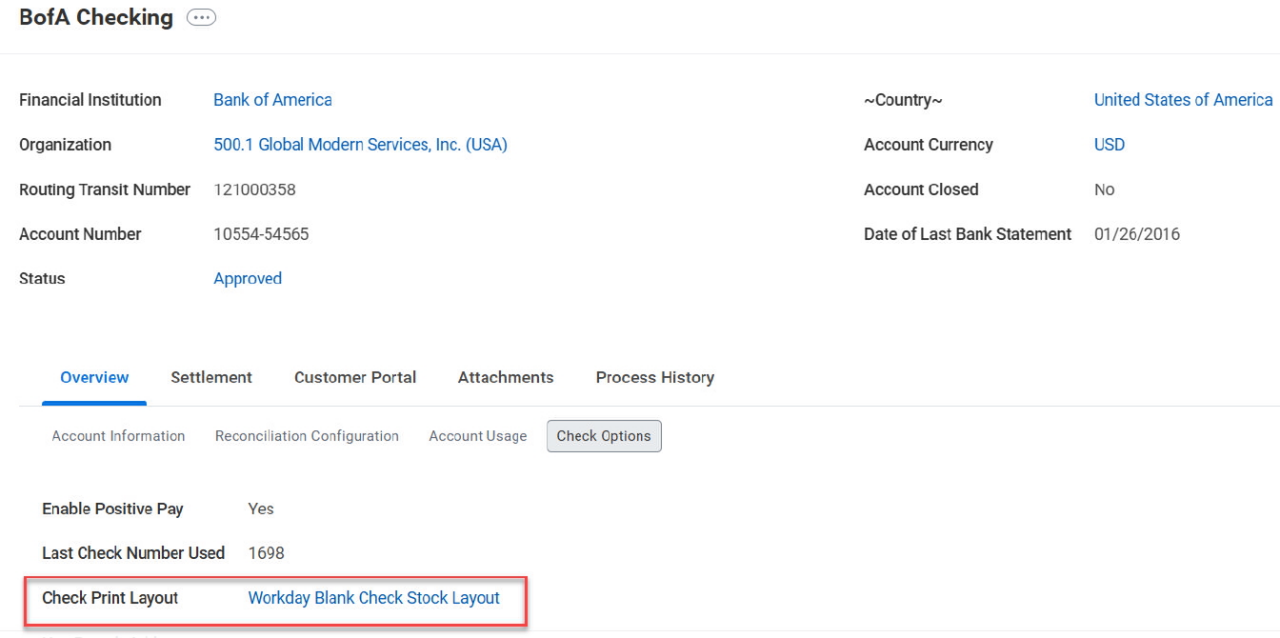
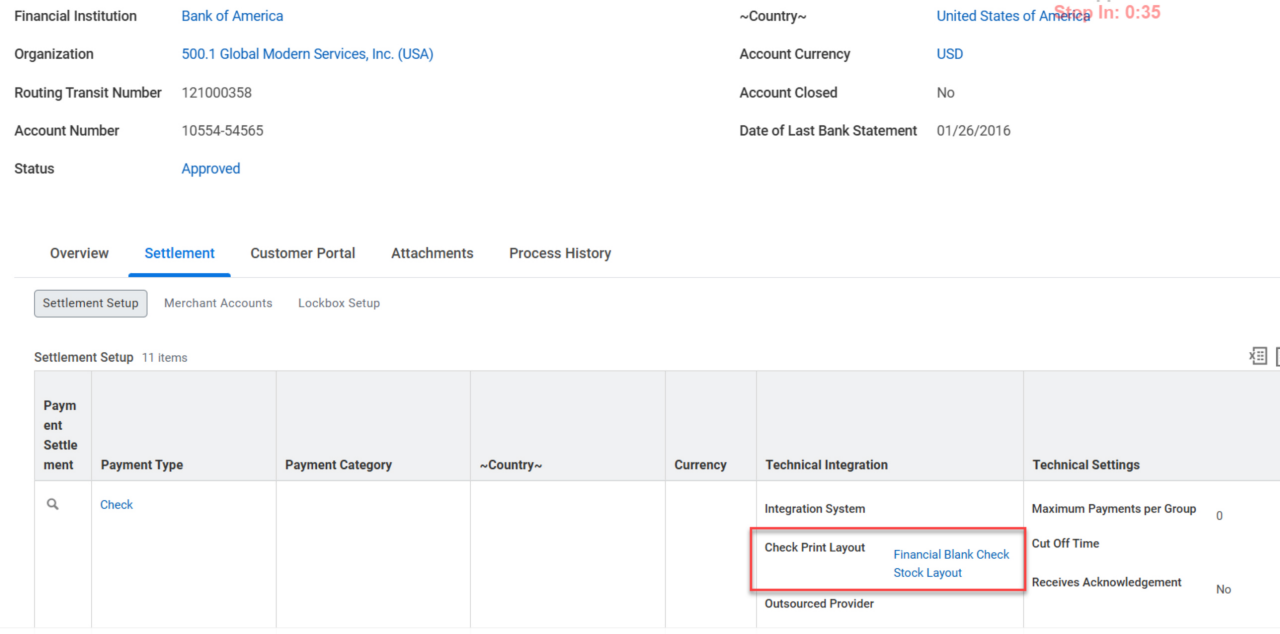
Figure 2: Bank Accounts configured with XSLT Check Print Layout under Settlement > Settlement Setup
Calculated Fields Details
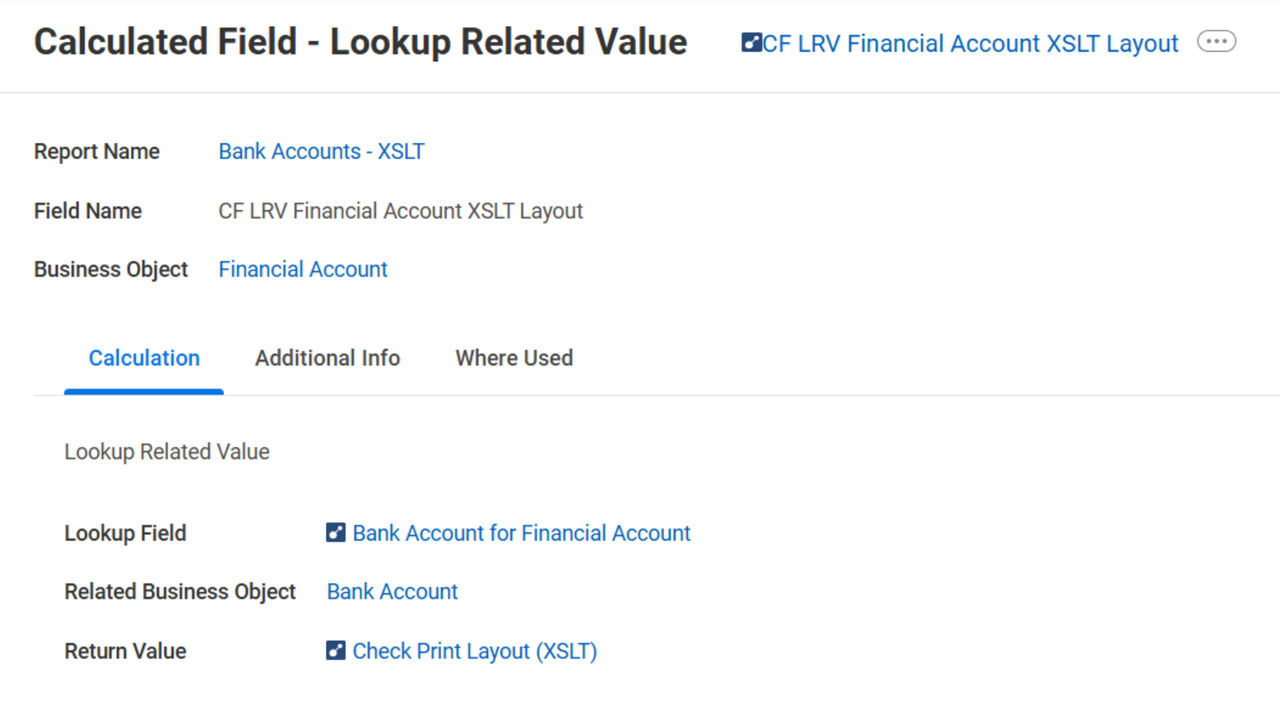
CF LRV Financial Account XSLT Layout
This field will return the XSLT Check Print Layout assigned under the Check Options for the Bank Account.
- Report Name: Bank Accounts - XSLT
- Field Name: CF LRV Financial Account XSLT Layout
- Business Object: Financial Account
- Lookup Field: Bank Account for Financial Account
- Related Business Object: Bank Account
- Return Value: Check Print Layout (XSLT)
Figure 3: CF LRV Financial Account XSLT Layout
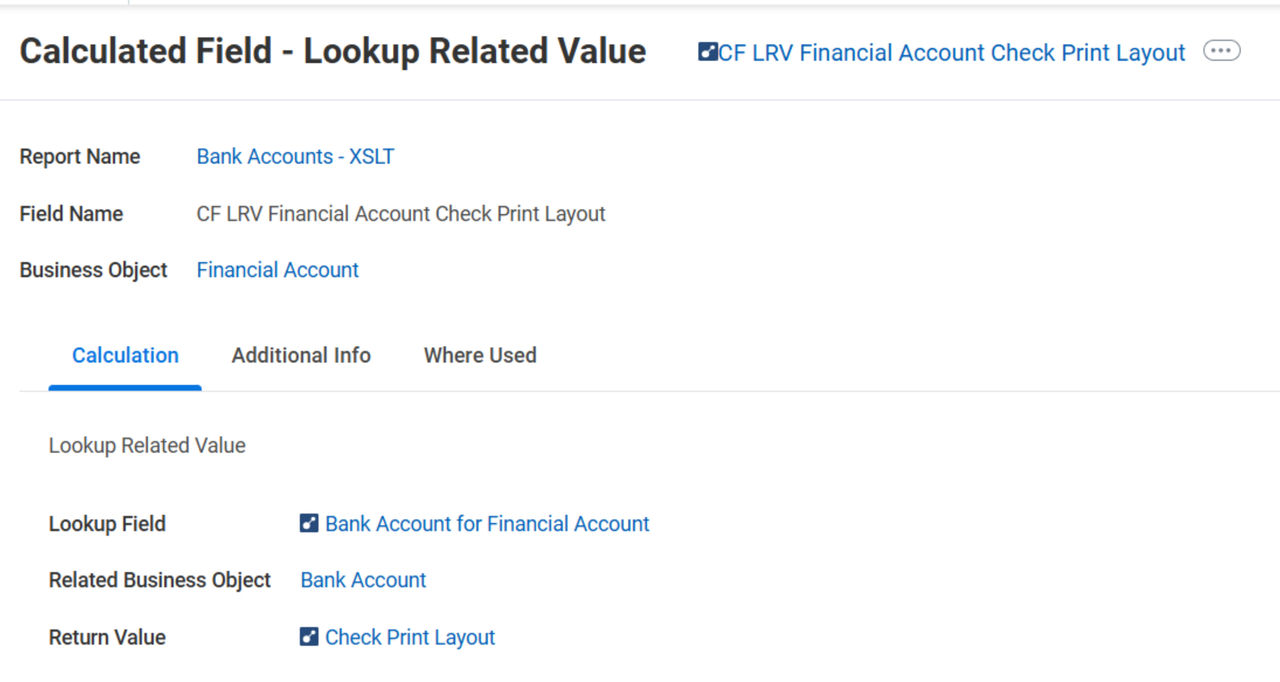
CF LRV Financial Account Check Print Layout
This field returns both XSLT and Report Design Check Layouts.
- Report Name: Bank Accounts - XSLT
- Field Name: CF LRV Financial Account Check Print Layout
- Business Object: Financial Account
- Lookup Field: Bank Account for Financial Account
- Related Business Object: Bank Account
- Return Value: Check Print Layout
Figure 4: CF LRV Financial Account Check Print Layout
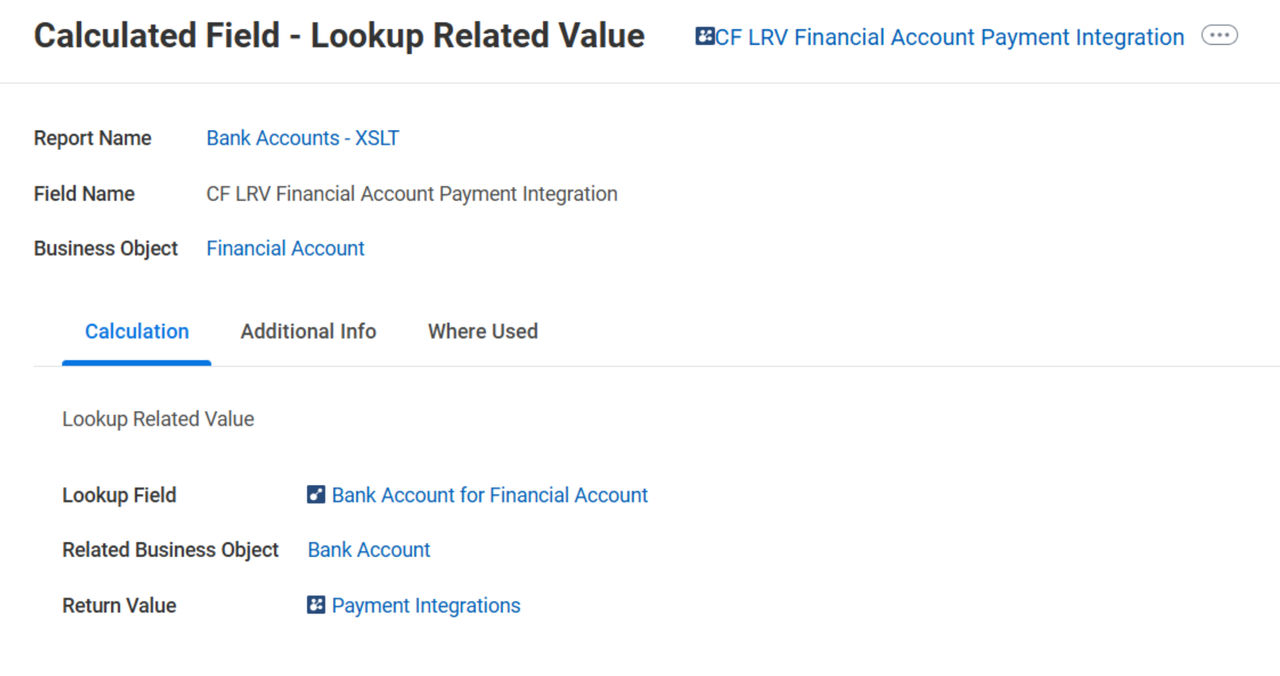
CF LRV Financial Account Payment Integration
This field returns the Settlement Setup rows where payment integrations and check layouts can be assigned by specified attributes.
- Report Name: Bank Accounts - XSLT
- Field Name: CF LRV Financial Account Payment Integration
- Business Object: Financial Account
- Lookup Field: Bank Account for Financial Account
- Related Business Object: Bank Account
- Return Value: Payment Integrations
Figure 5: CF LRV Financial Account Payment Integration
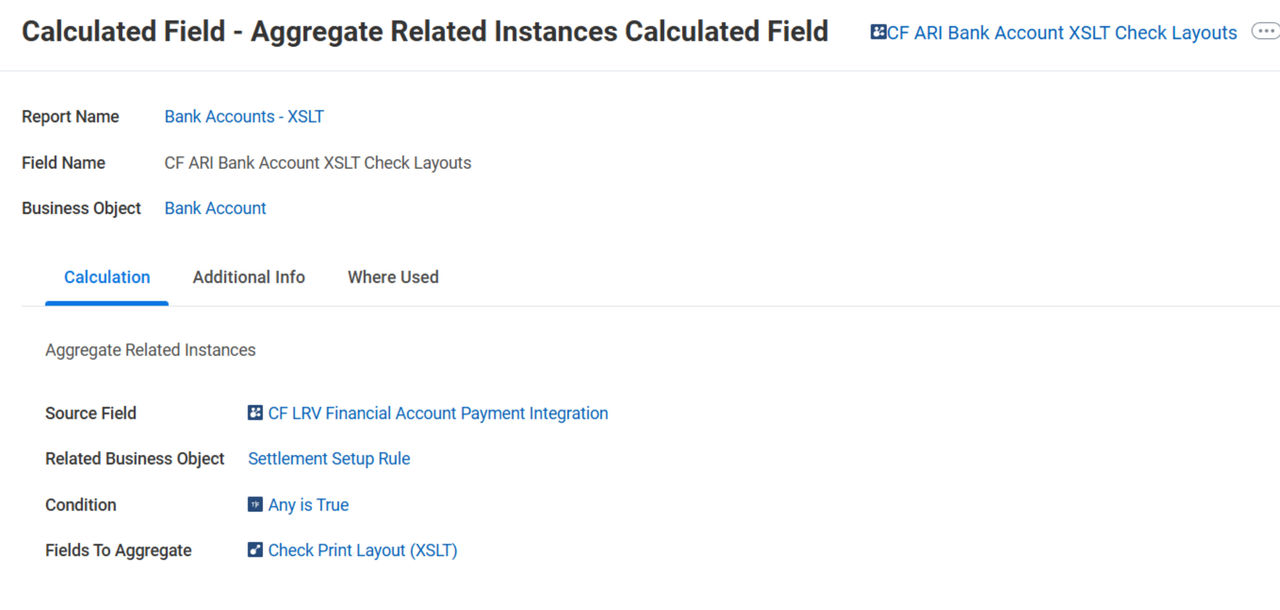
CF ARI Bank Account XSLT Check Layouts
This field aggregates all of the XSLT Check Layouts that are configured in any of the Settlement Setup rows into a single field.
- Report Name: Bank Accounts - XSLT
- Field Name: CF ARI Bank Account XSLT Check Layouts
- Business Object: Bank Account
- Source Field: CF LRV Financial Account Payment Integration
- Related Business Object: Settlement Setup Rule
- Condition: Any is True
- Fields To Aggregate: Check Print Layout (XSLT)
Figure 6: CF ARI Bank Account XSLT Check Layouts
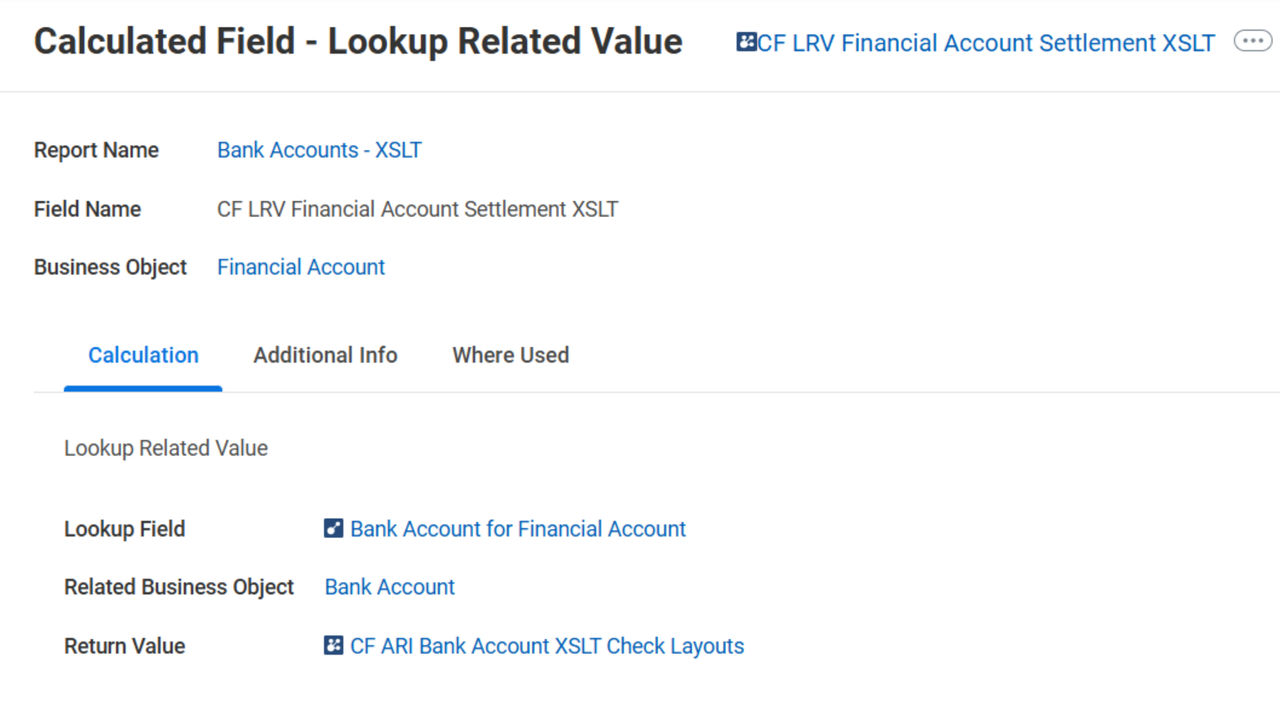
CF LRV Financial Account Settlement XSLT
This field associates the CF ARI Bank Account XSLT Check Layouts field with the Financial Account business object to make it easier to filter the report results.
- Report Name: Bank Accounts - XSLT
- Field Name: CF LRV Financial Account Settlement XSLT
- Business Object: Financial Account
- Lookup Field: Bank Account for Financial Account
- Related Business Object: Bank Account
- Return Value: CF ARI Bank Account XSLT Check Layouts
Figure 7: CF LRV Financial Account Settlement XSLT
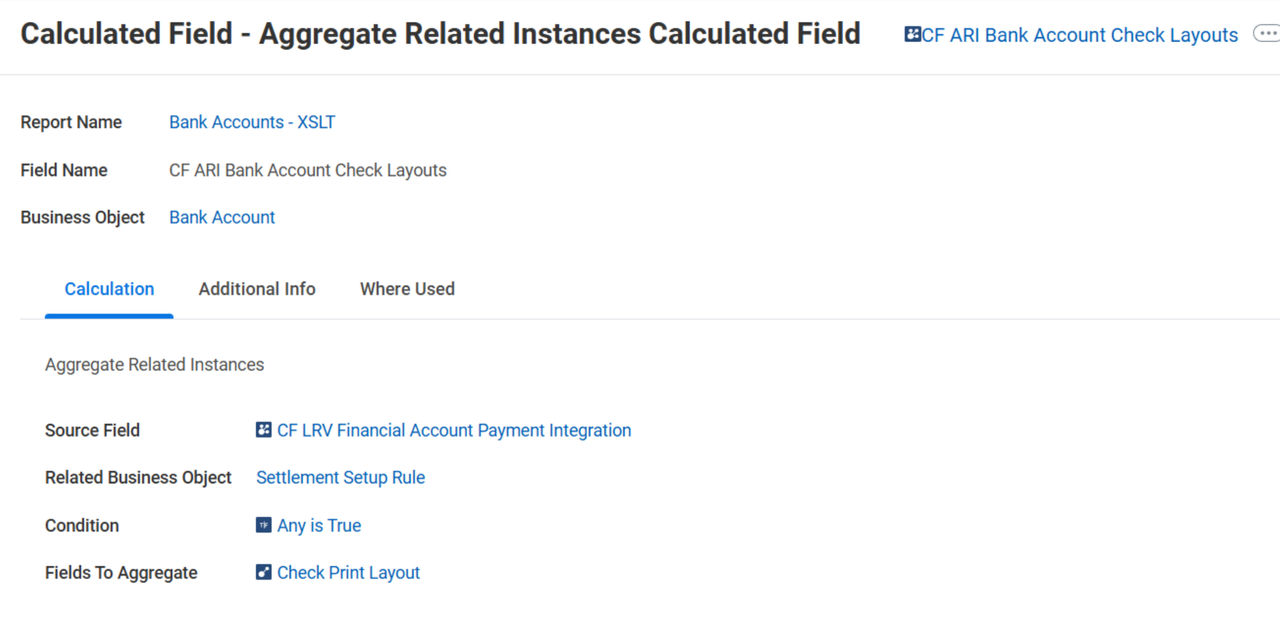
CF ARI Bank Account Check Layouts
This field aggregates all of the XSLT and Report Design Check Layouts that are configured in any of the Settlement Setup rows into a single field.
- Report Name: Bank Accounts - XSLT
- Field Name: CF ARI Bank Account Check Layouts
- Business Object: Bank Account
- Source Field: CF LRV Financial Account Payment Integration
- Related Business Object: Settlement Setup Rule
- Condition: Any is True
- Fields To Aggregate: Check Print Layout
Figure 8: CF ARI Bank Account Check Layouts
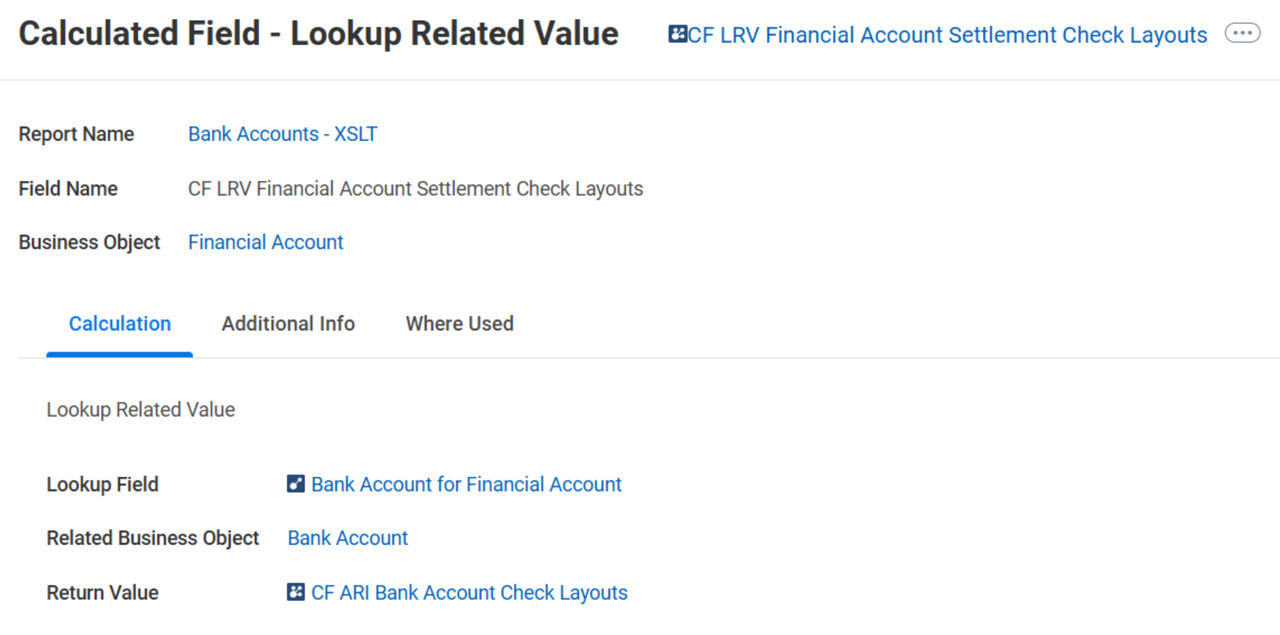
CF LRV Financial Account Settlement Check Layouts
This field associates the CF ARI Bank Account Check Layouts field with the Financial Account business object to make it easier to filter the report results.
- Report Name: Bank Accounts - XSLT
- Field Name: CF LRV Financial Account Settlement Check Layouts
- Business Object: Financial Account
- Lookup Field: Bank Account for Financial Account
- Related Business Object: Bank Account
- Return Value: CF ARI Bank Account Check Layouts
Figure 9: CF LRV Financial Account Settlement Check Layouts
1. Create the Custom Report: Copy the standard report Find Bank Accounts. This will serve as the baseline for the fields returned.
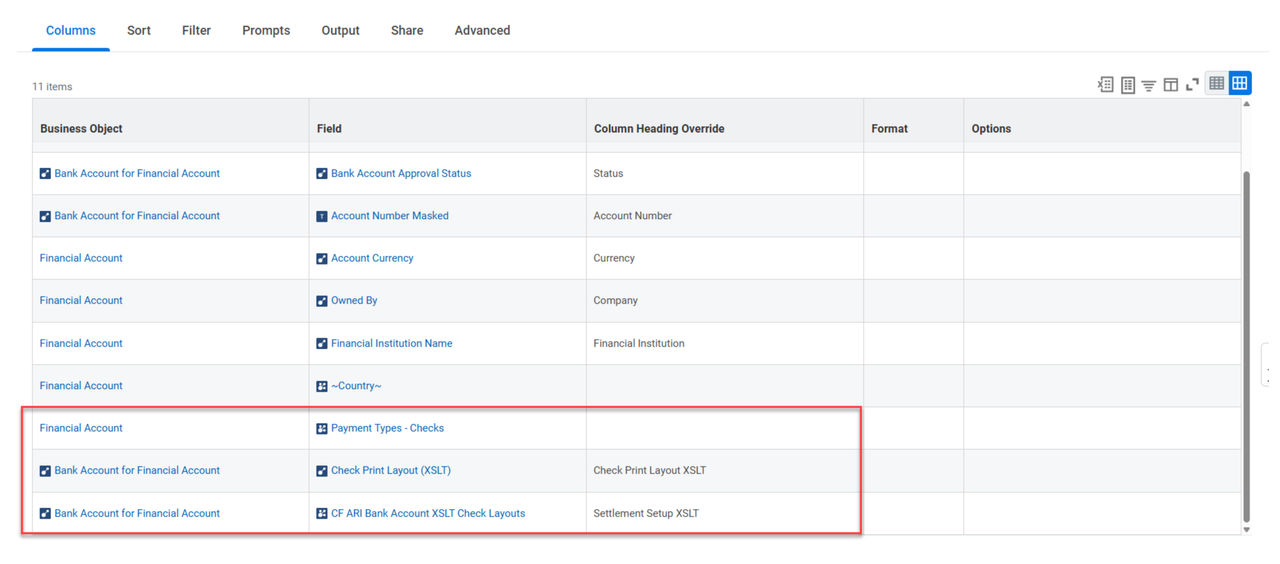
2. Configure the Custom Report: Add the fields below to the return results to see which check payment types have been configured and to evaluate where the XSLT Check Print Layout is assigned.
- Payment Types - Checks
- Check Print Layout (XSLT)
- CF ARI Bank Account XSLT Check Layouts
Figure 10: Custom report fields
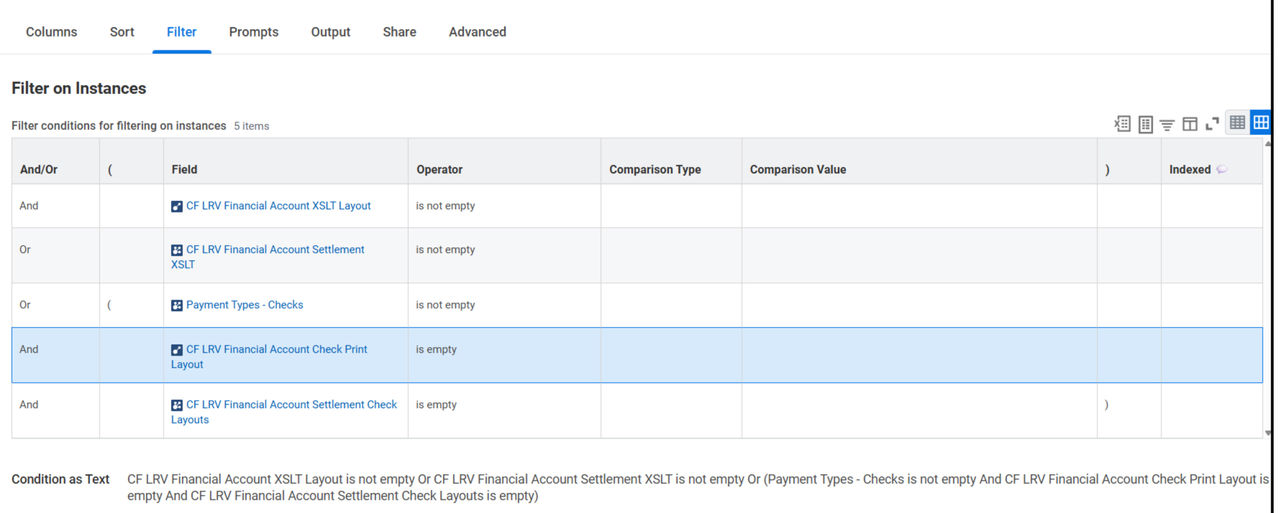
3. Add report filter criteria: Add the logic below to the existing report filter criteria to retrieve accounts where:
- XSLT is configured at the account level
- XSLT is configured at the settlement setup level
- Bank Account has a payment type for check but no check layouts associated.
Figure 11: Report filter criteria
4. Review Bank Accounts with check payment types that are using the tenant Default Check Print Layout
- If checks aren't being printed from that account: remove the check payment type.
- If checks are being printed: update the account with a Report Design Check Print Layout.
- Review Default Check Print Layout in Design Notes for more details.
5. Replace XSLT Check Print Layouts with Report Design Check Print Layouts
- Templates for Report Design Check Print Layouts are available in the Configuration Catalog for import to your tenant:
- Adjust the check print layout as needed per your bank specifications and test before deploying to Production.