Content and Using Workday Mentions in the Workday Community
- Overview
- What’s New
- Collaborate Content @Mentions
- Using Workday Category #Hashtag Mentions
- Policies and Terms of Use
- What’s Next
Overview
As part of our commitment to enhance collaboration and engagement for all Workday Community users, we've launched content mentions and Using Workday mentions in the Workday Community on June 22. This new feature makes it easy for you to mention specific Collaborate content or Using Workday categories within Collaborate discussion posts or comments. Whether you want to make a colleague aware of a post or categorize a discussion, mentions are a quick and simple way to get users informed and engaged.
What’s New
The following mentions features are now available for Workday Community users to use in Collaborate posts and discussions.
Collaborate Content @Mentions
You can @mention specific Collaborate content (excluding Workday-generated content for now) to tag it within a post or discussion. This will directly notify the content author by email that their content has been mentioned.
Type @ followed by the title of the content. A pop-up menu will search for the content in real-time.
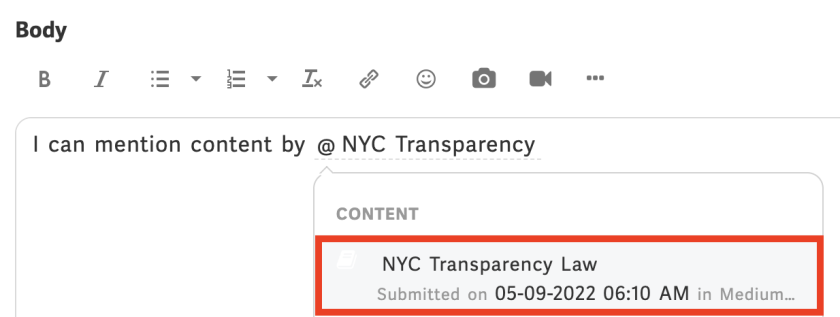
Select the content to mention.
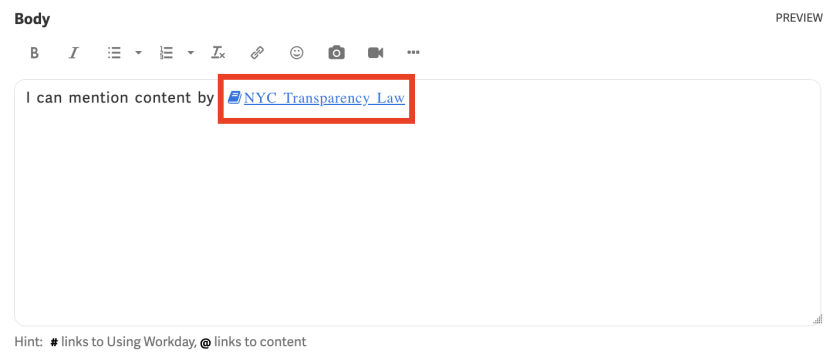
Once the reply is posted, a link will be generated to the content. Depending on their settings, the content author will receive an email notifying them that their content has been mentioned in a discussion.
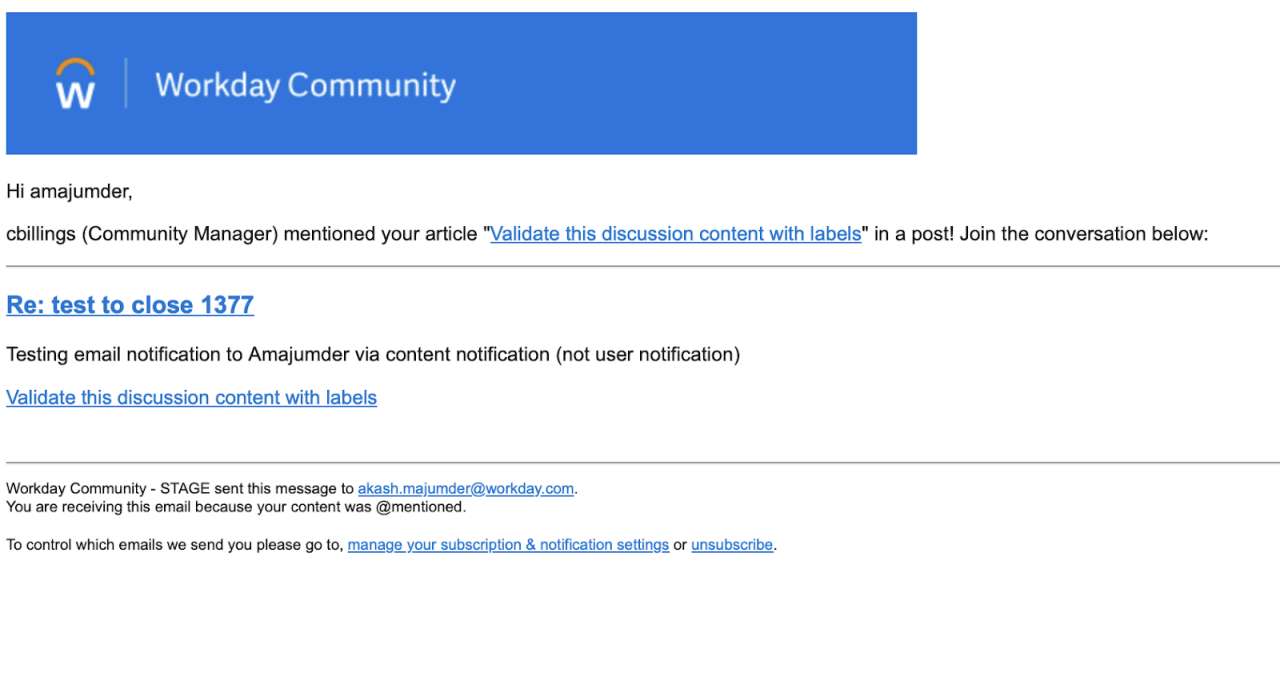
Using Workday Category #Hashtag Mentions
You can also #hashtag mention specific Using Workday categories to categorize your post or discussion and make it more discoverable. Users who select on a Using Workday category #hashtag mention will see a page that displays all the references to that category.
Type # followed by the Using Workday category. A pop-up menu will search for the category in real time.
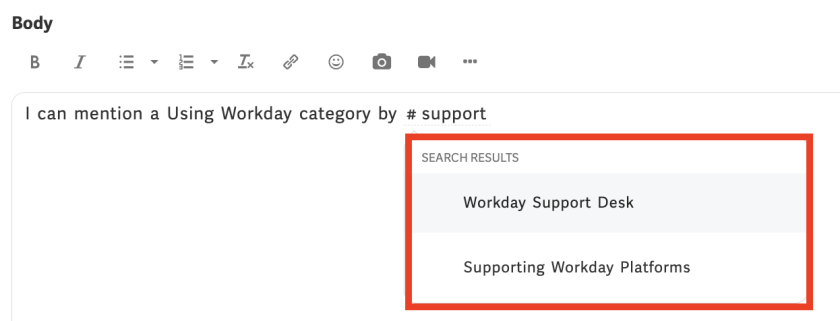
Select the Using Workday category to mention.
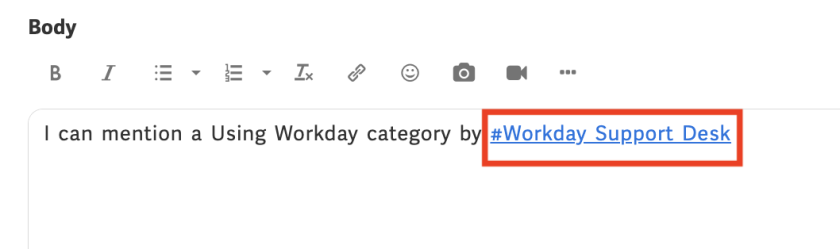
Once the reply is posted, a link will be generated to the page that displays all the references to the specific Using Workday category.
Policies and Terms of Use
To maintain the quality and usability of the new mentions feature, all Community users must follow Workday’s policies and terms of use. Users who use the new feature to spam will have their Workday Community accounts disabled. All posts and comments made on the Workday Community must be respectful and professional–Workday will remove any post that we consider offensive or inappropriate. If you see a post that you believe violates this policy, contact us immediately.
What’s Next
We’re excited to further enhance collaboration and engagement on the Workday Community with content mentions and Using Workday mentions! If you have feedback, then we'd like to hear it. Navigate to Collaborate > Discover > Feedback Forum to share about your experience with the new feature.